

Tech & Gadgets
The Best Smart Plugs (2026): Matter, Energy Monitoring, and One to Skip
Most smart plugs look identical, but ecosystem lock-in, missing energy monitoring, and cloud-only control separate the ones worth buying from the ones to skip.
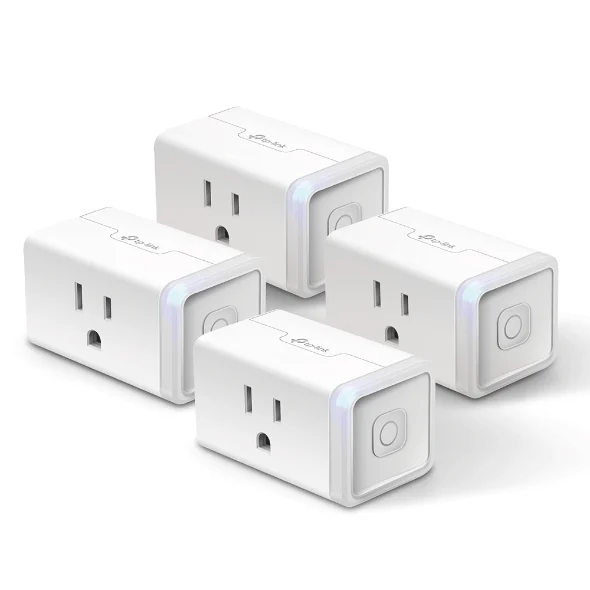
The short version
Smart plugs are nearly commodities, so the decisions that matter are ecosystem lock-in, energy monitoring, and whether the plug works without the internet. The Kasa EP25 wins for accurate local energy data in a slim, assistant-friendly body. The Tapo P125M is the cheapest honest route into Matter and the pick for ecosystem flexibility. Eve Energy suits Apple-and-Thread homes that want native power data. Skip the Wyze Plug: cloud-only control and no Matter make it feel dated the day you buy it.
Our picks at a glance
- TP-Link (Kasa) Kasa Smart Wi-Fi Plug Slim EP25 - Buy. Accurate local energy monitoring in a slim body that works with every major assistant.
- TP-Link (Tapo) Tapo P125M Mini Smart Wi-Fi Plug - Buy. The cheapest honest way into Matter, minus any energy data.
- Eve Energy (Matter) - It depends. A private, Thread-based plug with native power data, priced for Apple households.
- Wyze Plug - Skip. Cheap and compact, but cloud-only control and no Matter make it feel dated fast.
The verdict in 30 seconds
What mattered most
- Works with
- Energy monitoring
- Connection
- Works in an outage
- Size
- Standout weakness
A smart plug is the cheapest way to make a dumb device programmable, which is exactly why the market is flooded with near-identical white boxes. The differences that matter are not obvious from a photo: which assistants a plug supports, whether it tracks energy, and whether it keeps working when your internet does not. We compared four current models, three worth buying for different homes and one to avoid, to sort the keepers from the filler.
Accurate local energy monitoring in a slim body that works with every major assistant.
Best for: Households that want per-device energy tracking across mixed voice assistants.
- Local energy monitoring with real-time watts and long-term per-plug history
- Slim body stacks two units on one duplex outlet, plus native Apple Home support
- Wi-Fi only, with no Matter or Thread future-proofing
- Remote control leans on the Kasa cloud, and each unit crowds your 2.4GHz network
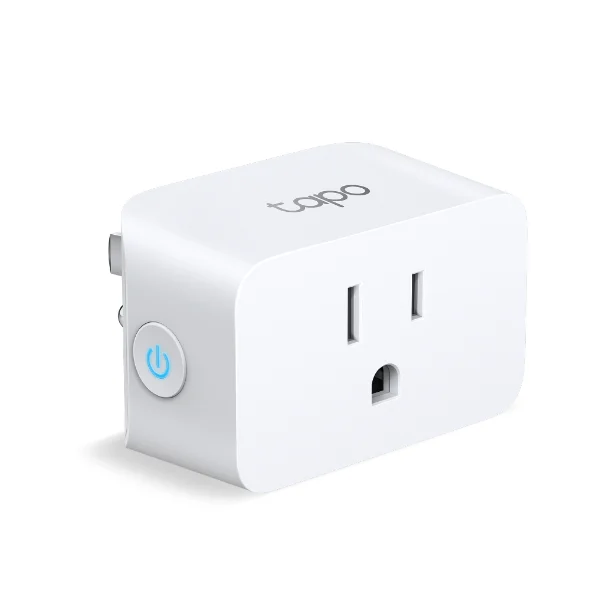
The cheapest honest way into Matter, minus any energy data.
Best for: Multi-ecosystem or future-proofed setups that do not need power data.
- Matter-certified, so it pairs natively with all four major ecosystems
- Compact enough to leave the second duplex outlet usable; local control survives outages
- No energy monitoring of any kind
- Setup still requires a Tapo account before Matter pairing takes over
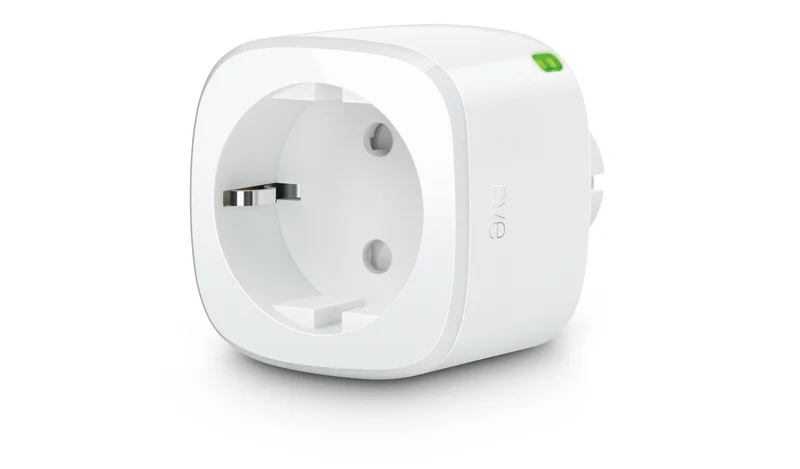
A private, Thread-based plug with native power data, priced for Apple households.
Best for: Apple Home users with a Thread border router who want energy data and privacy.
- Matter over Thread joins a low-power mesh and responds locally and quickly
- Native wattage and kWh readings appear directly in Apple Home, with no account required
- Premium tier, and bulkier than the mini plugs here
- Value depends on already owning a Thread border router
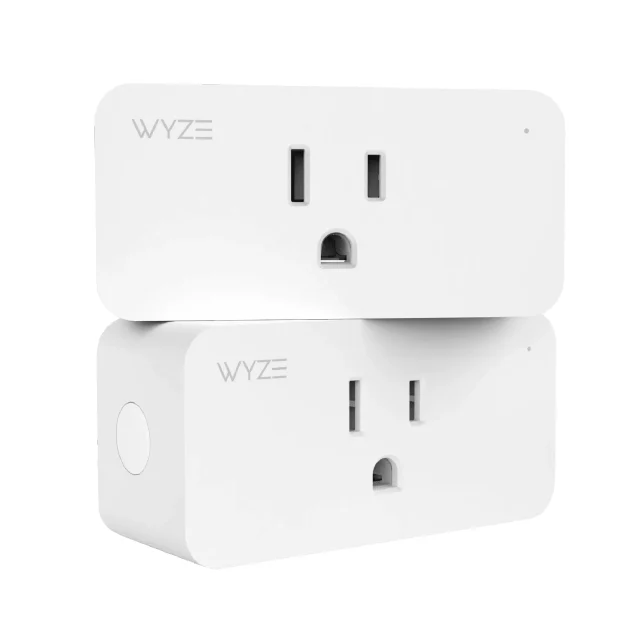
Cheap and compact, but cloud-only control and no Matter make it feel dated fast.
Best for: Hard to recommend; only buyers set on the lowest price and a single assistant.
- Per-outlet cost is about as low as the category goes
- Compact housing that does not block the adjacent outlet
- No local control; scheduling and voice commands all route through Wyze's cloud
- No Matter and no energy monitoring on the base model, plus a lingering trust deficit
| Criteria | Kasa Smart Wi-Fi Plug Slim EP25 Top pick | Tapo P125M Mini Smart Wi-Fi Plug | Eve Energy (Matter) | Wyze Plug |
|---|---|---|---|---|
| Verdict | Buy it | Buy it | It depends | Skip it |
| Best for | Households that want per-device energy tracking across mixed voice assistants. | Multi-ecosystem or future-proofed setups that do not need power data. | Apple Home users with a Thread border router who want energy data and privacy. | Hard to recommend; only buyers set on the lowest price and a single assistant. |
| Price tier | $$ · mid-range | $ · budget | $$$ · premium | $ · budget |
| Works with | Apple Home, Alexa, Google (Wi-Fi) | Matter: all four ecosystems | Matter over Thread: all four | Alexa, Google (cloud only) |
| Energy monitoring | Yes - local, per-plug history | No | Yes - native, shows in Apple Home | No (base model) |
| Connection | Wi-Fi 2.4GHz | Wi-Fi 2.4GHz + Matter | Thread + Matter | Wi-Fi 2.4GHz, cloud-reliant |
| Works in an outage | Partial - local energy, cloud for remote | Yes - via Matter | Yes - via Thread | No |
| Size | Slim, stackable | Compact, frees 2nd outlet | Bulky | Compact |
| Standout weakness | Wi-Fi only, no Matter | No energy data | Premium price, needs Thread router | Cloud-only, no Matter |
Which one is right for you?
- Households that want per-device energy tracking across mixed voice assistants. Buy it TP-Link (Kasa) Kasa Smart Wi-Fi Plug Slim EP25
- Multi-ecosystem or future-proofed setups that do not need power data. Buy it TP-Link (Tapo) Tapo P125M Mini Smart Wi-Fi Plug
- Apple Home users with a Thread border router who want energy data and privacy. It depends Eve Energy (Matter)
- Hard to recommend; only buyers set on the lowest price and a single assistant. Skip it Wyze Plug
How we judged the field
We do not run smart plugs through a lab. Instead we read across independent engineering teardowns and long-term owner reports, then weigh the patterns that show up again and again: does the plug stay connected, does it keep working when the internet drops, does it lock you into one voice assistant, and does its energy reading actually track a calibrated meter. Price matters, but a plug that quietly loses its schedule twice a month is not a bargain at any tier.
We prioritized models still in production in 2026, ruled out anything the maker has stopped updating, and looked hard at the standard that now decides a plug’s shelf life: Matter. A Matter-certified plug pairs with Apple Home, Alexa, Google Home, and SmartThings without a proprietary bridge, which means it outlives whichever ecosystem you happen to use today. We also treated local control as a feature, not a footnote: a plug that needs a cloud server to turn on a lamp is one outage away from useless.
Four plugs made the cut, including one we think most people should walk past.
Kasa Smart Wi-Fi Plug Slim EP25 - buy
The EP25 is the plug we would hand to someone who wants energy data without a research project. Its monitoring runs locally, reports real-time watts plus hourly, daily, weekly, and monthly history per plug, and tracks a calibrated meter closely enough that you can trust it to hunt down phantom loads. The slim body stacks two units on one duplex outlet, and it carries native Apple Home support, which most budget plugs skip.
What we liked more: the energy monitoring is genuinely useful and does not route your usage patterns through the cloud to work.
What we liked less: it is Wi-Fi only, with no Matter or Thread. It joins Apple Home, Alexa, and Google directly, but you are leaning on the Kasa app and its cloud for remote control, and every plug eats a slot on your 2.4GHz network.
Tapo P125M - buy
The P125M is the cheapest honest way into Matter. One certification gets you native pairing with all four major ecosystems and local control that survives an internet outage. It is genuinely compact, sitting flush enough to leave the second outlet on a duplex usable, and it handles up to 15A / 1800W. Scheduling goes past simple timers, with sunrise and sunset triggers and an away mode that randomizes lights while you travel.
What we liked more: Matter certification at the lowest tier we found, so the plug fits whatever hub you switch to later.
What we liked less: there is no energy monitoring at all, and setup still funnels you through a Tapo account before Matter takes over.
Eve Energy (Matter) - depends
Eve Energy is the plug for a Thread household, and specifically an Apple-centric one. It speaks Matter over Thread rather than Wi-Fi, so it joins a low-power mesh and responds locally and quickly through a Thread border router. It exposes wattage and kWh natively, and Eve has a long record of keeping data on-device with no account required, which privacy-minded owners value.
What we liked more: native energy figures show up directly in Apple Home, not just a companion app, and the Thread radio is easy on your Wi-Fi.
What we liked less: it sits in the premium tier, the housing is bulky next to the mini plugs here, and its value collapses if you do not own a Thread border router for it to talk to.
Wyze Plug - skip
The Wyze Plug is cheap and compact, and that is most of the case for it. Control, scheduling, and voice commands all route through Wyze’s cloud, so there is no meaningful local control: when your connection drops, the plug freezes in whatever state it was last in. There is no Matter support to future-proof it, the base model does not monitor energy, and owners report connection drops more often than with the competing plugs here. Wyze also carries a trust deficit from a past incident that briefly exposed other users’ data, and that history is hard to ignore when the plug wants a permanent line to its servers.
What we liked more: the per-outlet cost is about as low as this category goes.
What we liked less: no local control and no Matter, so you are betting your automations on a cloud you cannot audit.
Kasa EP25 vs Tapo P125M: which should you buy?
These two answer different questions. Choose the EP25 if you want to know what your devices actually draw. Its local energy monitoring is the reason to buy it, and native Apple Home support means you do not need a separate hub to use it across assistants. The trade is that it is Wi-Fi only, so it will never join a Thread mesh and every unit adds to your router’s client list.
Choose the P125M if flexibility matters more than power data. Matter certification means it pairs cleanly with any ecosystem and keeps working locally during an outage, and it is the more compact of the two. You give up energy monitoring entirely. For most new smart homes we lean toward the P125M for its portability across ecosystems, then add one EP25 in the spots where you actually want to measure consumption.
What to look for
Start with the ecosystem question. If you want a plug that will follow you across Apple, Google, Amazon, or Samsung as you change your mind, buy Matter and confirm the certification rather than trusting the box art. If you are locked into one assistant and happy there, a non-Matter plug can still serve, but it ages faster.
Then decide whether you need energy data. Monitoring is worth it if you plan to chase standby loads or bill a home office, and worthless if you just want a lamp on a schedule. If you do want it, prefer plugs that measure locally so your usage is not a cloud record.
Finally, weigh local control and radio type. Thread plugs are gentle on Wi-Fi and respond quickly, but only pay off with a border router already in the house. Wi-Fi plugs are simpler and universal, but each one occupies your 2.4GHz network. Whatever you pick, treat cloud-only control as a real limitation, not a technicality.
Our final take
The Kasa EP25 is our overall pick because it does the useful, harder thing well: accurate local energy monitoring in a slim body that plays with every major assistant. The Tapo P125M is the runner-up and the smarter buy for anyone who values ecosystem freedom over power data. Eve Energy earns a place in Apple-and-Thread homes willing to pay for it. The Wyze Plug is the one to skip, not because it is cheap, but because cloud-only control and no Matter make it a short-term device sold as a long-term one.
Questions, answered
Do smart plugs work without Wi-Fi or the internet?
It depends on the plug. Matter-over-Thread and Matter-over-Wi-Fi models keep local control during an outage through your hub. Cloud-only plugs like the Wyze Plug freeze in their last state until service returns. If offline reliability matters, buy a Matter-certified plug and confirm the certification.
Are smart plugs with energy monitoring worth it?
Only if you will act on the data. Monitoring helps you find standby loads, size a home-office bill, or spot a failing appliance. If you only want lights on a schedule, skip it and save money. When you do want it, prefer plugs that measure locally.
What is Matter, and why does it matter for smart plugs?
Matter is a cross-industry standard that lets one plug pair natively with Apple Home, Alexa, Google Home, and SmartThings without a proprietary bridge. For plugs it means the device outlives whichever ecosystem you use now, so you are not re-buying hardware when you switch assistants.
Can I plug a space heater or air conditioner into a smart plug?
Check the rating first. The plugs here handle up to 15A / 1800W, which covers most space heaters but leaves little headroom. Never daisy-chain plugs or exceed the stated load, and prefer a plug that is UL certified for high-draw appliances.
Does a smart plug slow down or crowd my Wi-Fi?
Wi-Fi plugs each take a slot on your 2.4GHz network, so a dozen of them can crowd an older router. Thread-based plugs like Eve Energy avoid this by joining a low-power mesh instead. For large deployments, mix in Thread or add a stronger access point.
Deciding between the top two? See our head-to-head: TP-Link (Kasa) Kasa Smart Wi-Fi Plug Slim EP25 vs TP-Link (Tapo) Tapo P125M Mini Smart Wi-Fi Plug.
More Tech & Gadgets reviews
 The Best Smart Smoke & Carbon Monoxide Detectors: 4 Compared (and One to Skip)
  The Best Smart Speakers: 4 Compared (and One to Skip)
  Best Smart Thermostats of 2026: Honest Picks and One to Skip
  The Best Smart Water Leak Detectors: 4 Compared (and One to Skip)
  The Best Smartwatches: 4 Compared (and One to Skip)
  The Best Socket Sets: 4 Compared (and One to Skip)