Explained
Office Chairs, Explained: What to Look For
Understand every dial, lever, and buzzword before you sit in a chair for eight hours a day.
In this guide
An ergonomic office chair is just a chair that lets you adjust it to fit your body, rather than forcing your body to fit it. This guide explains the parts and terms so you can judge one on your own.
The 30-second version
- Adjustability beats marketing. A chair that adjusts to your height, seat depth, and lumbar curve will support you better than one that just calls itself 'ergonomic' on the box.
- Lumbar support only works if it moves. A fixed bump in the backrest may or may not land where your lower-back curve actually sits. Height-adjustable lumbar support is what lets you place it correctly.
- Seat depth is quietly important. If the seat is too deep, it presses behind your knees or forces you to slouch. A seat-depth slider matters more for tall and short people than most buyers realize.
- Armrest 'D' numbers describe motion, not quality. 2D, 3D, and 4D refer to how many directions armrests move. More directions can help, but a well-placed 2D armrest beats a wobbly 4D one.
- Certifications tell you about durability, not comfort. BIFMA testing confirms a chair survived stress and weight cycles. It says nothing about whether the chair will feel good to you.
The products this guide is about
Our verdict on each, with the full reasoning on the companion review.
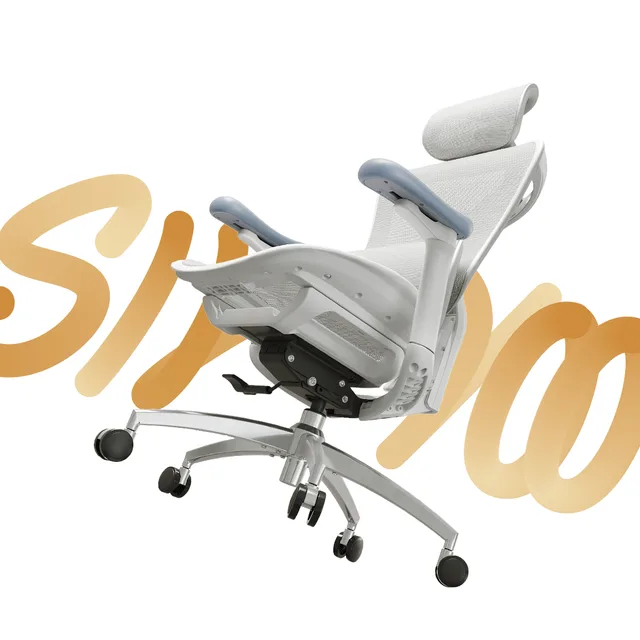
- Buy Sihoo Doro C300 A ~$330 chair that punches like a $1,000 one, thanks to lumbar that actually tracks your spine.
- Buy HON Ignition 2.0 The boring, contract-grade workhorse that just keeps working for years.
- It depends Branch Ergonomic Chair The most adjustable chair in the range, but its lumbar is genuinely polarizing.
- Skip RESPAWN 110 (Racing-Style Gaming Chair) A best-selling racing chair that ergonomists and reviewers agree is wrong for all-day desk work.
What actually matters
- Fit to your body over one-size claims - the whole point of ergonomics is matching the chair to you. Prioritize the adjustments that let a chair reach your proportions rather than averaged-out defaults.
- Adjustable lumbar support - your lower back curves inward, and the chair should fill that gap. Look for support that moves up and down (and ideally in and out) so it lands on the curve, not your mid-back or tailbone.
- Recline with tension control - leaning back periodically takes load off your spine. A tension dial lets you set how much effort it takes to recline, so the chair matches your weight instead of snapping back or flopping open.
- Armrest positioning - armrests should let your shoulders relax and your forearms rest near desk height. Whether they move in two or four directions matters less than whether they can reach the right spot and stay there.
- Backrest height and shape - a taller backrest supports more of your spine and shoulders; a headrest helps only if it actually reaches your head when you recline. Match the back to your torso length, not to how imposing it looks.
- Build quality and stated weight capacity - a gas cylinder, base, and casters that are rated well above your body weight tend to last longer and feel more stable. Under-built chairs sink, tilt, and wear out first.
The specs, in plain English
Green flags vs red flags
Green flags
- Lumbar support that adjusts up and down, not a fixed bump
- A seat-depth slider, especially if you're notably tall or short
- A tilt-tension dial you can actually turn to match your weight
- Clear, published weight capacity and a five-point base
- Mention of standardized durability testing (such as BIFMA) with specifics
- Armrests that lock firmly in place instead of drifting under your arm
Red flags
- 'Ergonomic' with no listed adjustments beyond seat height
- A headrest or lumbar pad that can't be moved to fit you
- Armrests that wobble, sink, or won't hold a position
- No stated weight capacity, or a suspiciously low one
- A gas cylinder that slowly sinks during the day (a common early failure)
- Photos that emphasize a 'gamer' look while listing almost no ergonomic features
Who's who: the brands
- Herman Miller - Long-established ergonomic maker known for high-end task chairs and long warranties; sits at the premium end.
- Steelcase - Contract-office brand focused on adjustability and durability, common in corporate settings.
- Humanscale - Known for minimalist chairs that automatically adjust recline tension to body weight, reducing manual dials.
- Branch - Direct-to-consumer brand aimed at home offices, typically mid-range with a straightforward feature set.
- Autonomous - Online-first brand offering mesh task chairs and desks aimed at the value and mid tiers.
- Secretlab - Started in gaming seating and now spans task-style chairs; foam-heavy builds with a distinct aesthetic.
- HON - Contract-furniture brand offering durable, no-frills task chairs common in offices and often reasonably priced.
- Sihoo - Value-focused online brand offering mesh ergonomic chairs with adjustable features at lower tiers.
How to read a listing without getting fooled
Start with the spec sheet, not the photos. List the adjustments a chair actually offers - seat height, seat depth, lumbar height, tilt tension, armrest axes - and ignore adjectives like 'premium' or 'ergonomic' that describe nothing measurable. Then match that list to your body: your height decides seat depth and backrest needs, your weight decides tilt tension, and your desk height decides armrest range. A cheaper chair that hits your specific fit points will serve you better than an expensive one that doesn't move where you need it to.
How much should you spend?
Entry-tier chairs usually give you seat-height adjustment and little else, often with a fixed lumbar pad and simple armrests; they're fine for light or occasional use but tend to wear out or sink first. Mid-tier chairs are where meaningful adjustability appears - height-adjustable lumbar, seat-depth sliders, real tilt tension, and multi-axis armrests - and this is where most full-time desk workers find the best return. Premium chairs add refined mechanisms, sturdier materials, longer warranties, and better long-term durability, but past a point you're paying for build quality and support rather than fundamentally better ergonomics. Spend for the adjustments you'll actually use, not the badge.
Questions, answered
Is mesh or foam better for an office chair?
Neither is universally better. Mesh breathes and flexes, so it runs cooler and suits warm rooms or long sitting. Foam is softer and warmer, which some people find more comfortable. Choose based on whether you prioritize airflow and firmness or cushioning.
Do I really need adjustable lumbar support?
It helps most people. Your lower back curves inward, and support that fills that gap reduces slouching. The key is that it moves up and down, so it lands on your curve. A fixed lumbar bump may miss entirely, doing little or even pressing wrong.
What do 2D, 3D, and 4D armrests mean?
They describe how many directions the armrests move. 2D moves in two, 3D in three, 4D in four (adding forward/back and pivot). More axes make it easier to rest forearms without shrugging, but a stable, well-placed 2D armrest beats a loose 4D one.
Does BIFMA certification mean a chair is comfortable?
No. BIFMA certification means a chair passed standardized durability and safety tests, like repeated weight and stress cycles. It tells you the chair should hold up over time, but says nothing about how it will feel to sit in. Comfort you have to judge yourself.
How important is weight capacity if I'm well under the limit?
It still matters. A higher stated capacity usually reflects sturdier parts, a stronger gas cylinder, and a more stable base. Choosing a chair rated comfortably above your weight tends to mean less sinking, wobble, and long-term wear, not just a higher number.
Why does my chair slowly sink during the day?
That's usually a failing gas cylinder losing pressure and letting the seat drift down. It's one of the most common office-chair failures. The cylinder is often replaceable, but frequent early sinking is a red flag about overall build quality.
Or jump to the head-to-head: Sihoo Doro C300 vs HON Ignition 2.0.